





What Is a Slot Art Pack?
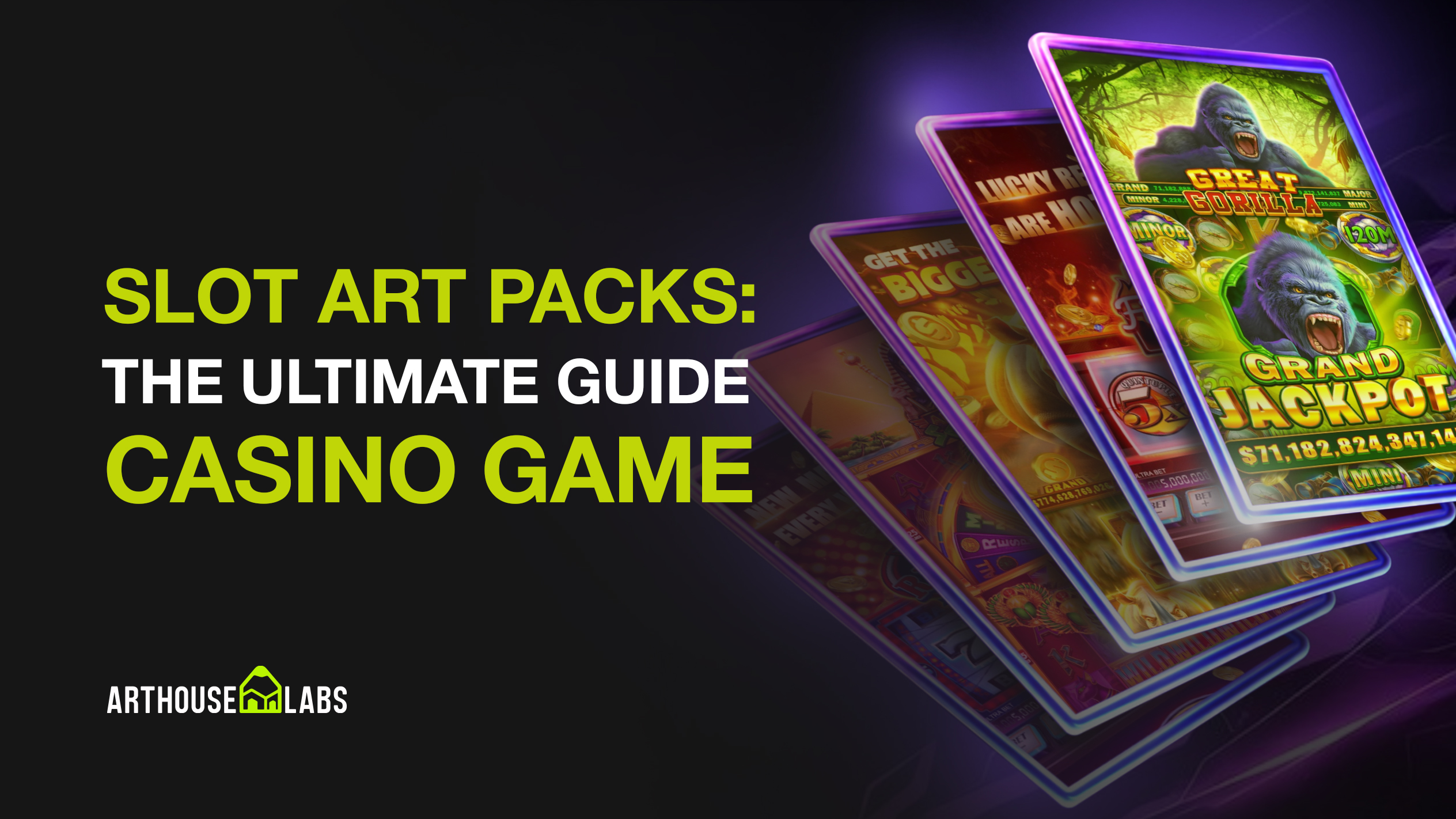
A slot art pack is a pre-made set of visual assets designed specifically for slot game development. Instead of commissioning full custom art production from scratch, you purchase a ready-to-use kit that can be integrated into your game.
Most professional packs include symbols, UI elements, backgrounds, decorative elements, and production-ready PNG exports — often with layered PSD sources for customization.
Why Developers Use Slot Art Packs
Slot art packs help studios and developers:
- Launch faster and meet tight deadlines
- Reduce production costs
- Maintain a consistent art style
- Start building mechanics early (art is ready from day one)
- Avoid long art iteration cycles
Slot Art Packs vs Custom Slot Art
Both approaches are valid — the best choice depends on budget, timeline, and your product strategy.
Slot Art Packs are ideal when you need:
- Fast production
- Predictable cost
- Strong visuals without long revision cycles
- A solid baseline that can still be customized
- Faster market entry
Custom Art is better when:
- You need full exclusivity
- You’re building a flagship title
- Your theme requires a highly specific art direction
- You have time for a full concept-to-final process
Pro tip: Many studios choose a hybrid approach: start with a high-quality PSD/PNG pack and customize it for uniqueness. It gives you speed and a branded final result.
What’s Included in a High-Quality Slot Art Pack?
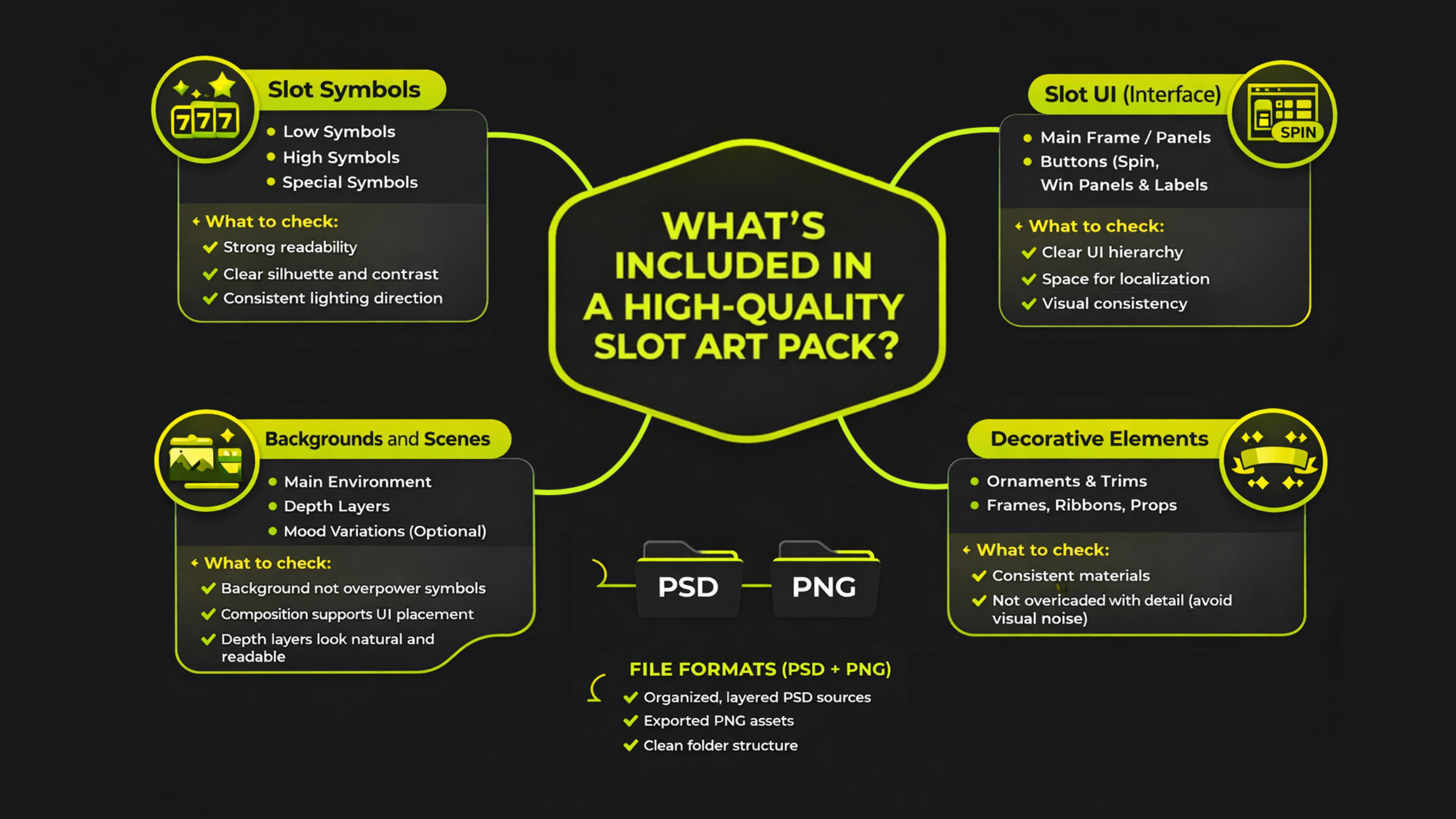
Not all packs are the same. A professional PSD/PNG slot art pack should contain everything needed for production.
1) Slot Symbols
Most packs include:
- Low symbols (simple icons or ranks)
- High symbols (theme objects)
- Special symbols (Wild, Scatter, Bonus, Jackpot)
What to check:
- Strong readability at mobile size
- Clear silhouette and contrast
- Consistent lighting direction across all symbols
2) Slot UI (Interface)
A pack often includes:
- Main frame / panels
- Buttons (Spin, Autoplay, Settings, etc.)
- Win panels, counters, labels
- Icons and feature UI elements
What to check:
- Clear UI hierarchy
- Enough space for localization and numbers
- Visual consistency with symbols and background
3) Backgrounds and Scenes
A pack may include:
- Main environment background
- Layered depth versions (foreground/midground/background)
- Mood variations (optional)
What to check:
- Background doesn’t overpower symbols
- Composition supports UI placement
- Depth layers look natural and readable
4) Decorative Elements
These include:
- Ornaments and trims
- Frames, ribbons, banners
- Shine accents, overlays, small props
What to check:
- Consistent materials
- Not overloaded with detail (avoid visual noise)
5) File Formats (PSD + PNG)
The best packs provide:
- Organized, layered PSD sources
- Exported PNG assets ready for engine integration
- Clean folder structure and naming
PSD vs PNG: Which One Do You Need?
You usually need both.
PSD is best for:
- Customization (colors, material swaps, variations)
- Editing layers and preparing new versions
- Fast reskins for different themes
PNG is best for:
- Immediate integration into your game
- Lightweight pipeline
- Faster development and testing
Ideal delivery: PSD for editing + PNG for production.
Slot Art Pack Licensing Explained
Licensing is a key factor when buying art packs.
Standard license usually allows:
- Commercial use (release your game)
- Modifications (customization and reskin)
- Using assets inside compiled builds
Standard license usually restricts:
- Reselling the pack as a pack
- Redistributing source files publicly
- Claiming original authorship
Exclusive licensing
Some packs may offer exclusive rights:
- Pack removed from store
- You become the only license holder
- Higher price due to exclusivity
If uniqueness is your main concern, customization is often enough without full exclusivity.
How to Choose the Right Slot Art Pack
Use this quick checklist before purchasing:
Theme Fit
- Does the pack match your game’s theme and tone?
- Do symbols clearly communicate the theme?
- Does UI feel like it belongs in that world?
Symbol Readability
- Can you identify symbols at small scale?
- Is contrast strong enough?
- Are Wild/Scatter visually special?
UI Quality
- Is the Spin button clearly dominant?
- Is the UI readable on mobile?
- Is there space for localization?
PSD Layer Structure
- Are layers well-organized and named?
- Are symbols separated into logical groups?
- Is it easy to swap colors and materials?
Consistency
- Same lighting direction
- Same rendering quality across assets
- UI, symbols, and background feel unified
How to Customize a Slot Art Pack (Fast Reskin Workflow)
Customization is how you make a ready-made pack look unique.
Step 1 — Change the Palette
Fastest uniqueness upgrade:
- New primary palette
- New highlight color
- Consistent color grading
Step 2 — Swap Materials
Turn wood into gold, stone into ice, etc.:
- Texture overlay changes
- Specular and highlight tuning
- Maintain material logic
Step 3 — Add Symbol Variations
You don’t need full redesign:
- Small silhouette changes
- Unique decorative overlays
- Border and glow updates
Step 4 — Modify UI Shapes
Small UI changes create big uniqueness:
- Different corners
- New trims
- Updated button silhouettes
Step 5 — Enhance the Background
Add:
- Foreground details (smoke, plants, props)
- Lighting variations (day/night)
- Extra depth layers
Even subtle improvements can make the final slot look exclusive.
Common Mistakes When Buying Slot Art Packs
Avoid these issues:
- Buying without PSD sources (no customization = less uniqueness)
- Ignoring symbol readability (looks great but plays poorly)
- Choosing overloaded UI (hard to understand features)
- No space for localization
- Not testing in mobile scale early
Best Practices for Using Art Packs in Production
Organize assets immediately
Suggested folders:
- symbols/low
- symbols/high
- symbols/special
- ui/buttons
- ui/panels
- backgrounds
- decor
Create a mini style guide
Even for a pack:
- palette
- outline thickness
- glow strength
- icon style rules
Test inside the engine early
Check:
- real mobile scale
- UI hierarchy clarity
- background contrast
- symbol visibility


.svg)


