





What’s Included in a Slot Art Pack? (Full Asset Checklist)
Slot art packs help casino game developers build faster and launch with premium visuals — without waiting for full custom art production. But not every pack includes the same things. Missing assets can slow down development, add unexpected costs, or make the final slot feel incomplete.
This guide explains everything that should be included in a professional slot art pack, what files you should expect, and what to check before buying.
Core Assets (Symbols + Wild/Scatter)
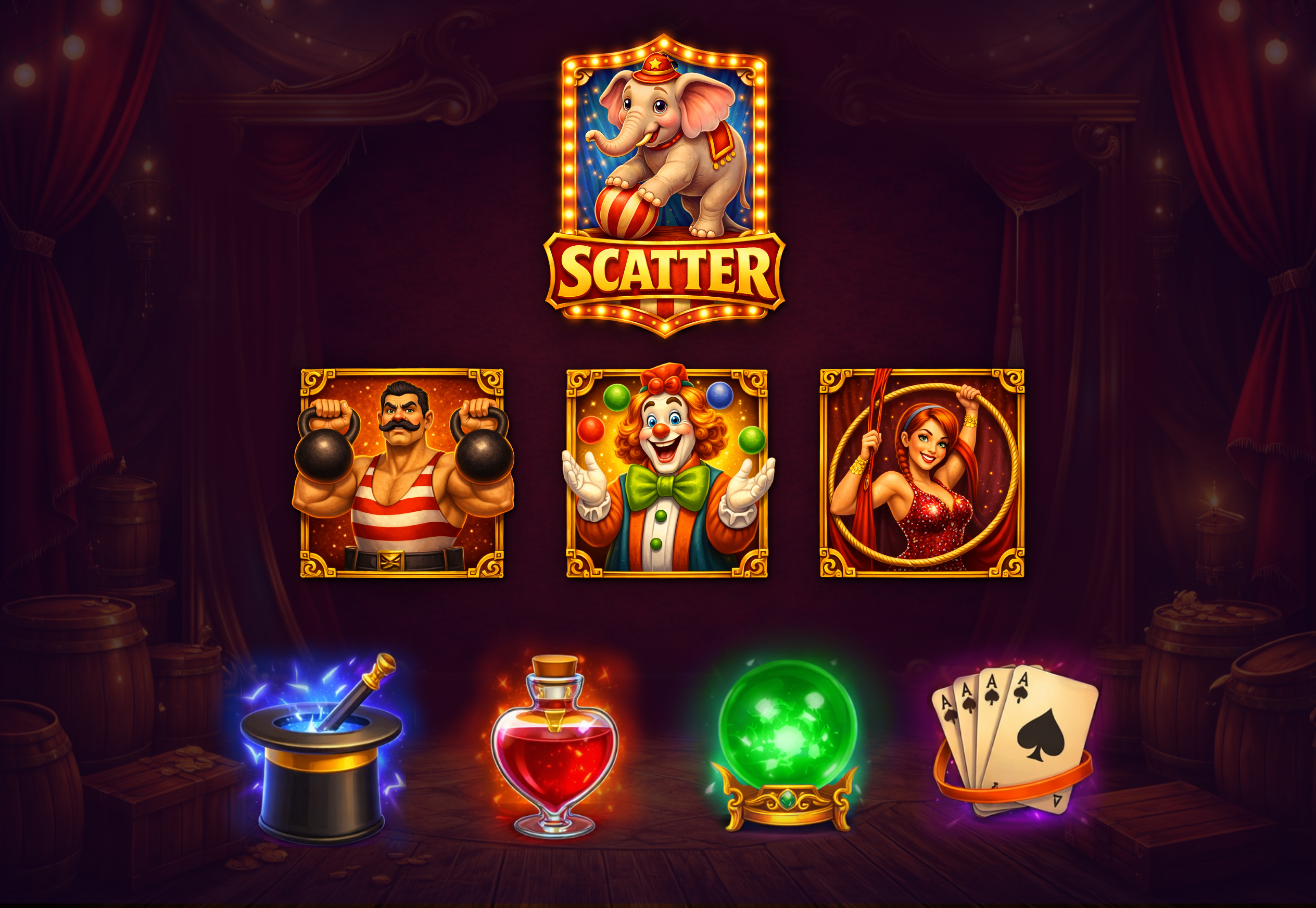
Symbols are the heart of slot art. A strong slot art pack should include a complete symbol set that is easy to read, visually consistent, and optimized for different screen sizes (especially mobile).
A professional symbol set usually includes:
- Low-value symbols (ranks like A/K/Q/J/10 or simple icons)
- High-value symbols (theme objects with stronger detail)
- Special symbols:
- Wild (dominant, high-impact design)
- Scatter (distinct and feature-ready)
- Bonus / Feature symbol (optional but recommended)
What makes a symbol set “production-ready”:
- Strong silhouette and contrast
- Consistent lighting direction across all icons
- High readability at small scale
- Consistent border thickness and highlight style
- Clear “value hierarchy” (low symbols simpler, high symbols richer)
Tip: If a pack has beautiful symbols but weak readability, gameplay suffers — especially on mobile.
UI Elements (Frames, Buttons, Panels)
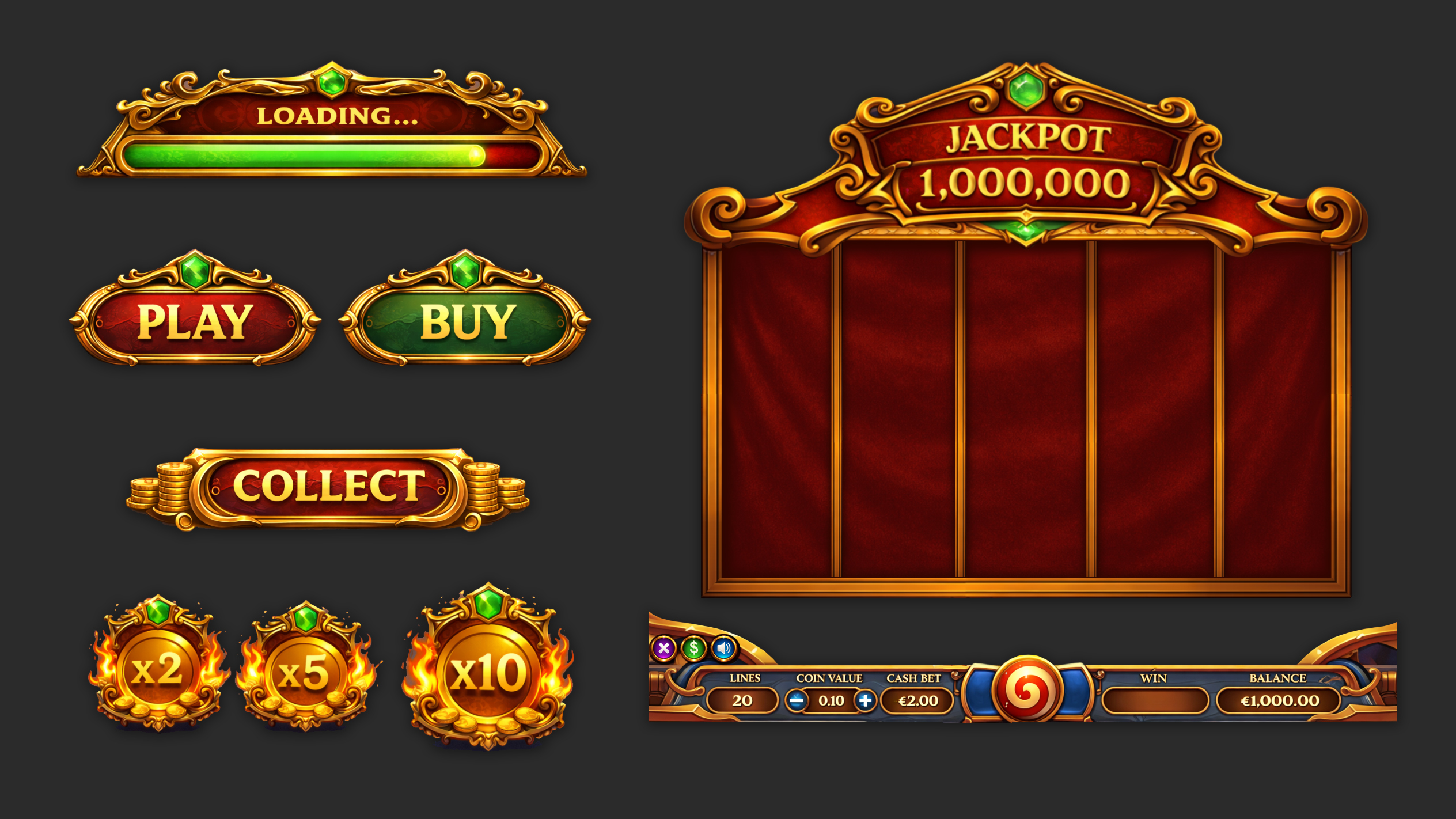
UI is what makes a slot look premium, trustworthy, and readable. A good slot art pack should include UI that matches the theme and works functionally for real slot gameplay.
UI elements typically include:
- Main slot frame (front panel / borders)
- Spin button (primary CTA) + states (idle/hover/pressed)
- Secondary buttons/icons (auto, settings, paytable, info)
- Win / balance / bet panels
- Title plate, banners, and feature markers
- Bonus UI placeholders (optional but useful)
What to check in UI assets:
- Strong visual hierarchy (Spin must be dominant)
- Enough space for numbers, currency, and text
- UI doesn’t overpower symbols
- Clear icon language (simple and readable)
- UI style matches symbol rendering (same material logic)
Packs with complete UI sell better because studios know they won’t need extra UI production.
Backgrounds & Layering
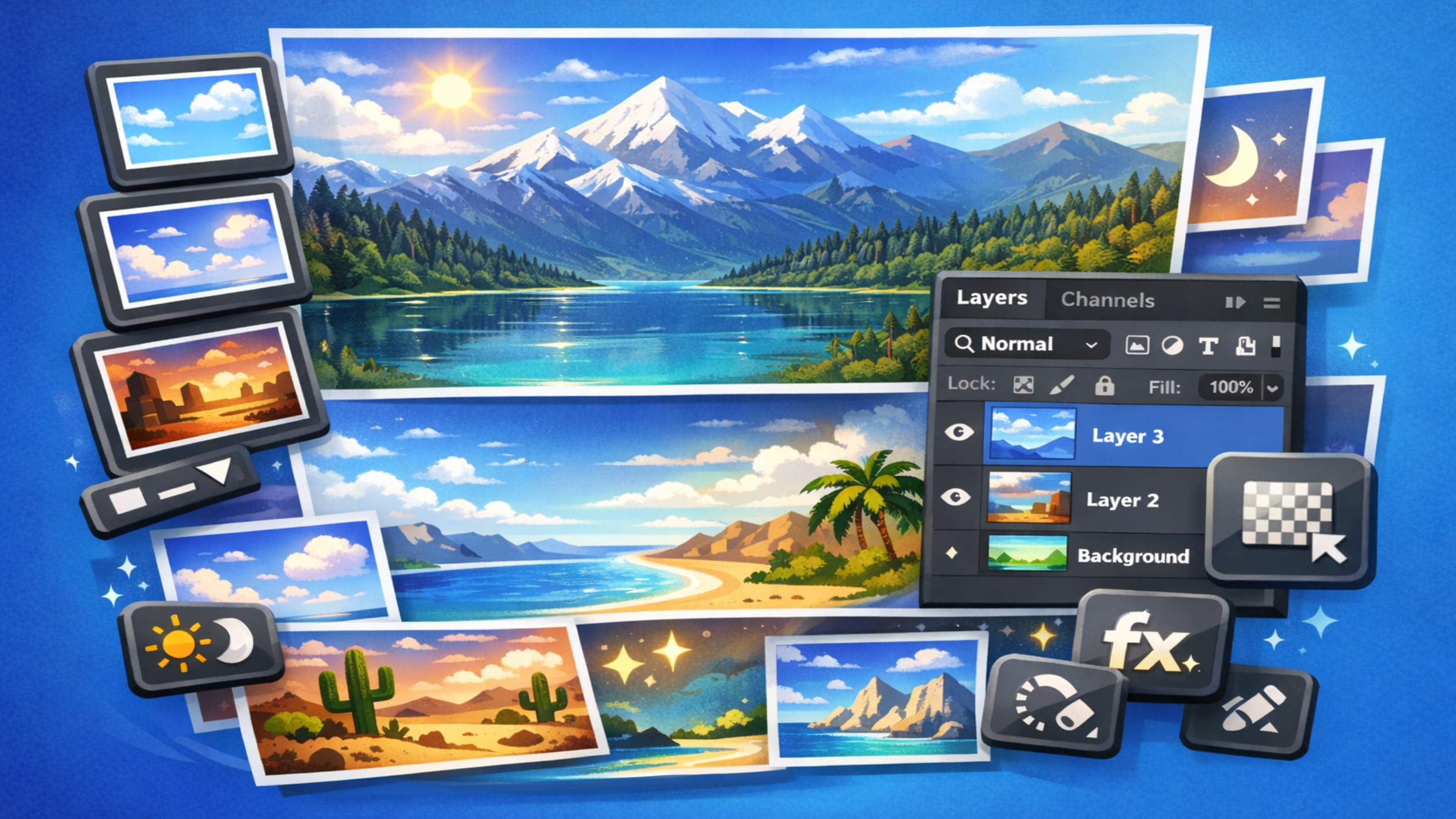
A slot background is not just decoration — it supports readability, mood, and theme immersion. A professional pack should include backgrounds designed specifically for slot layout, not generic illustrations.
Background deliverables should include:
- A main background scene (center view)
- Optional variations (day/night, warm/cold mood, etc.)
- Layered depth (foreground, midground, background)
- Atmospheric elements (fog, glow, dust, sparkles)
What to check:
- Background doesn’t “fight” with symbols (avoid visual noise)
- Good contrast behind reels
- Clear focal area for the game panel
- Enough empty space for UI placement
- Depth layers are separated cleanly (useful for parallax or variations)
Layered scenes let you create fast premium upgrades later (lighting changes, motion overlays, micro-animation).
Optional Add-ons (Characters, Features UI)
Optional assets can turn a basic pack into a premium-ready kit — and reduce the amount of additional production you’ll need.
Useful add-ons include:
- Character or mascot (hero / villain / theme figure)
- Feature frames (free spins screen, bonus popup)
- Jackpot visuals and title screens
- VFX overlays (glow, shine accents)
- Extra symbol variations (alternate versions)
Why optional add-ons matter:
- Feature-driven gameplay becomes easier to build
- The slot feels more complete and premium
- Uniqueness increases even with a ready pack
If you need additional assets for a chosen pack — customization is usually faster than full production.
File Delivery (PSD + PNG + Sizes)
A professional slot art pack isn’t only about quality — it’s also about clean production delivery: correct formats, organized PSD sources, and export-ready files.
What you should receive:
- Layered PSD source files (organized, editable)
- Export-ready PNG assets (transparent, clean edges)
- UI elements and icons separated
- Full-resolution backgrounds
- Organized folders (UI / Symbols / BG / Decor)
Recommended file structure:
- /symbols/low
- /symbols/high
- /symbols/special
- /ui/buttons
- /ui/panels
- /backgrounds
- /decor
PSD quality checklist:
- Clear layer naming and grouping
- Effects built in editable layers (not flattened)
- Easy material and color replacement
- Consistent sizes and alignment guides
PNG export checklist:
- Correct alpha transparency
- No halos / jagged edges
- Consistent scale across all assets
- Multiple sizes if needed (mobile + desktop)
PSD is for customization, PNG is for integration. The best packs provide both.
What You Should Check Before Buying
Before purchasing a slot art pack, use this final checklist to avoid production issues:
1) Asset completeness
- Full symbol set (including Wild & Scatter)
- Complete UI kit (frame + buttons + panels)
- At least 1 background scene
- PNG exports included
2) Readability and hierarchy
- Symbols readable at small scale
- UI hierarchy is clear
- Wild/Scatter clearly special
3) PSD structure
- Clean layers and groups
- Editable materials and lighting
- Easy to recolor and reskin
4) Mobile readiness
- UI readable in mobile scale
- Good reel contrast
- Assets can be optimized safely
5) Licensing clarity
- Commercial use allowed
- Modifications allowed
- Redistribution restricted (standard)


.svg)


