





Start With the Player Loop, Not the Illustration
Before defining a theme, write the game loop in one sentence: the player chooses an input, starts a round, reads the outcome and decides whether to continue or cash out. That sentence reveals which objects must attract attention and which can remain atmospheric.
Build a monochrome wireframe for one complete round. Include the bet area, primary action, result state, balance feedback and any risk or configuration controls. If the loop is not understandable without decorative art, illustration will only conceal the problem.
For games with an instant outcome, reserve the strongest visual change for the result. For games that build tension over time, design a sequence of escalating states rather than one oversized celebration.
Convert the Concept Into an Asset Map
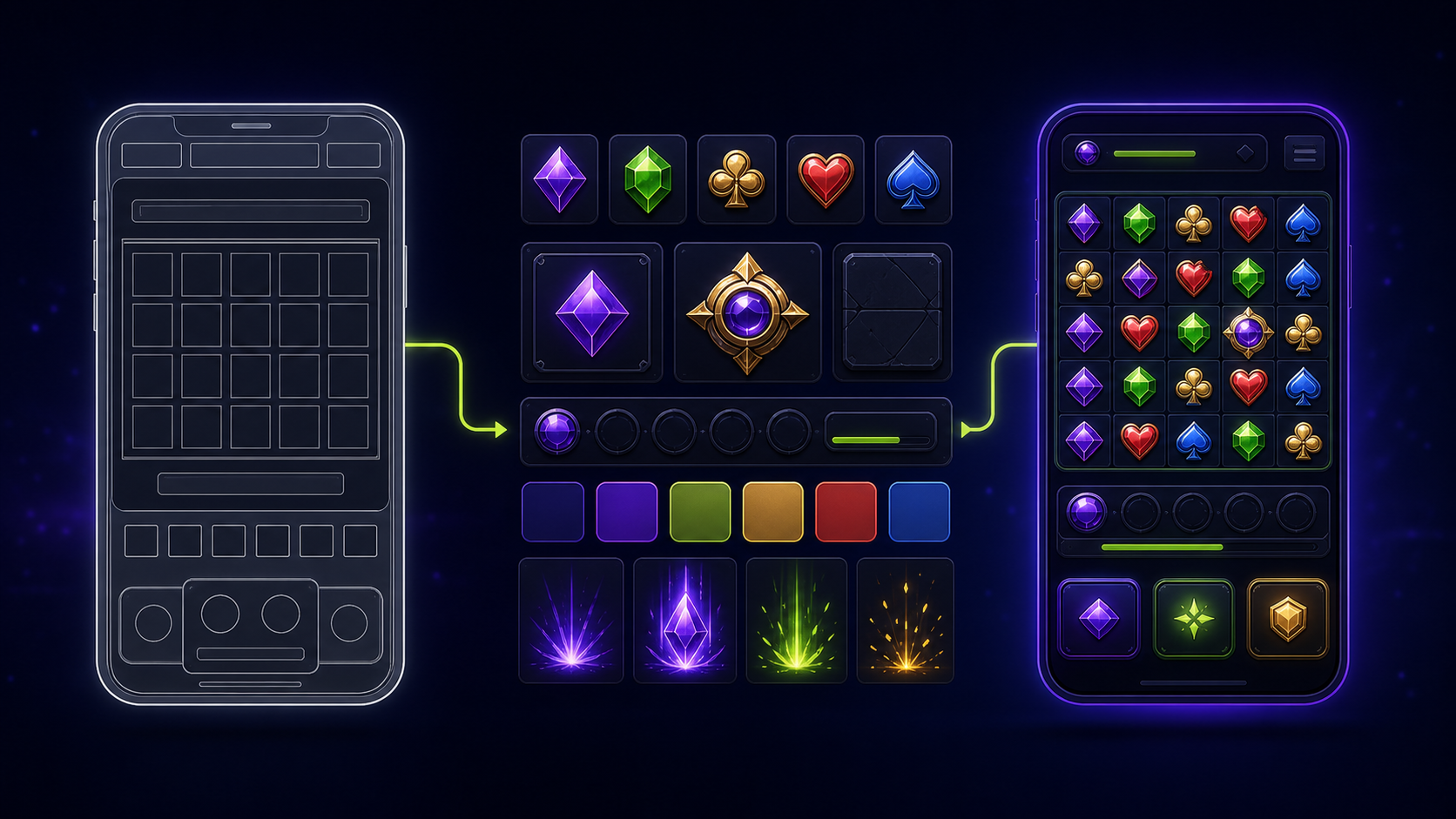
Separate assets into four groups: persistent interface, gameplay objects, feedback effects and promotional assets. This prevents the team from polishing a hero illustration while missing practical states such as disabled controls, selected options, error messages or an interrupted round.
Define each asset by purpose, dimensions, file format, animation method, state count and owner. A compact asset map also shows which elements can be reused across resolutions and which must be redrawn for a different aspect ratio.
The Slot Game Graphics Technical Brief provides a useful structure for naming, export rules and delivery requirements, even when the product is an instant game rather than a reel-based slot.
Design the UI Around Decisions
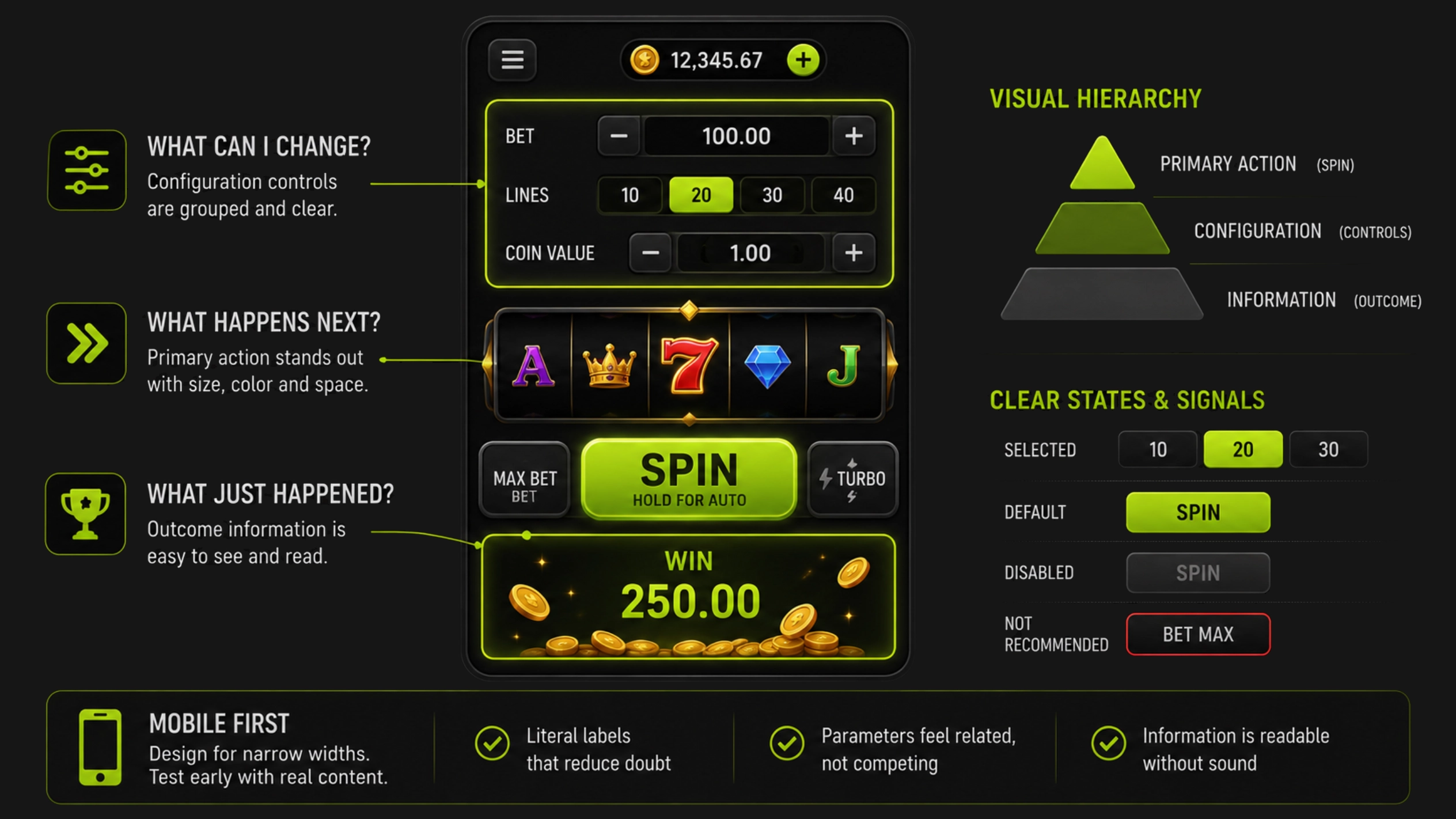
Every screen should answer three questions immediately: what can I change, what happens next and what just happened? Use visual hierarchy to separate configuration controls from the main action and outcome information.
Keep button labels literal, show selected states clearly and avoid using color as the only signal. Risk settings, row counts, mine counts or similar parameters should feel related, but they should not compete with the primary action.
Mobile is the reference case, not a compressed desktop version. Test the game at narrow widths early, with realistic labels and localized strings. The principles in How Players Actually Read Slot Game Interfaces apply directly: players scan anchors, values and actions before they study decoration.
Build an Art System That Can Survive Iteration
Choose a small palette, a controlled lighting direction and a limited family of shapes. Document how interactive objects differ from scenery. This makes later revisions predictable and lets several artists contribute without introducing visual drift.
Create components for panels, buttons, badges, counters, tooltips and result banners. Treat spacing, corner radius, stroke weight and shadow depth as tokens rather than one-off choices. Reusable components are especially important when the same logic needs desktop, mobile and embedded layouts.
For a deeper framework, see How to Build a Scalable Slot Game Art System. The same modular thinking reduces cost in compact casino games.
Match the Frontend Pipeline Early
Stake describes Stake Engine as an RGS with a Python-based mathematics workflow and a frontend stack built around PixiJS and Svelte. That makes early technical alignment essential: artists should know which visuals will be sprites, vector-like shapes, skeletal animation, particles or code-driven transitions.
Do a memory and draw-call review before final polish. Texture atlases, shared effects and restrained animation usually create more value than a large number of unique high-resolution files. Design graceful fallbacks for weaker devices and reduced-motion preferences.
Use the platform’s testing workflow to review currencies, languages, device types and wallet simulations before the final art lock. Official overview: What Is Stake Engine?.
Treat Lobby Assets as Part of the Product
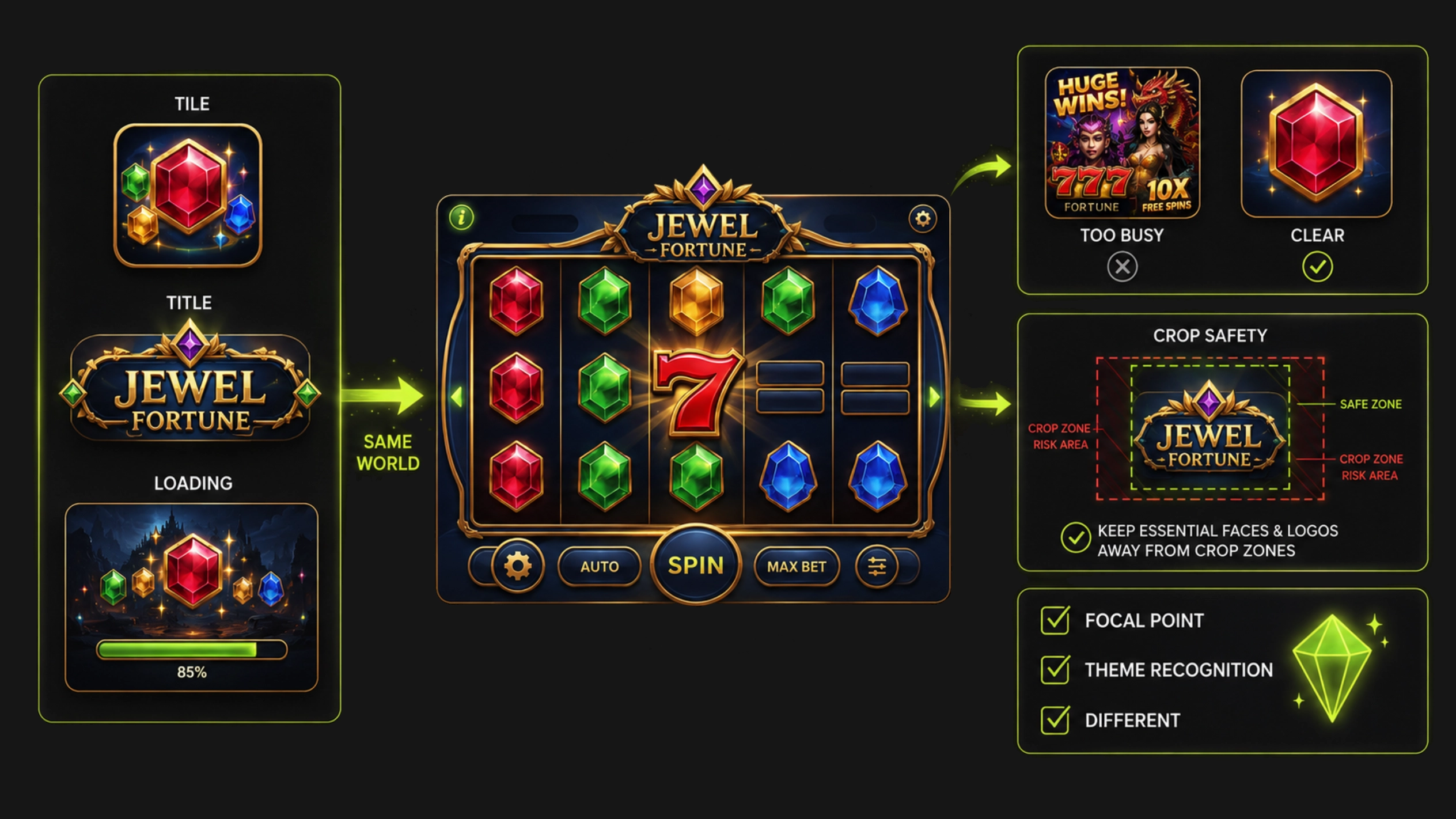
The thumbnail, title treatment and loading screen form the first chapter of the game. They should promise the same visual world and level of energy that the player sees after launch.
Design the lobby tile at its smallest expected display size. One focal object, a short silhouette and strong value contrast outperform a miniature poster full of details. Keep logos and essential faces away from crop zones.
Use How Slot Game Art Affects Casino Lobby Conversion as a checklist for focal point, theme recognition and visual differentiation.
Run a Production QA Pass Before Submission
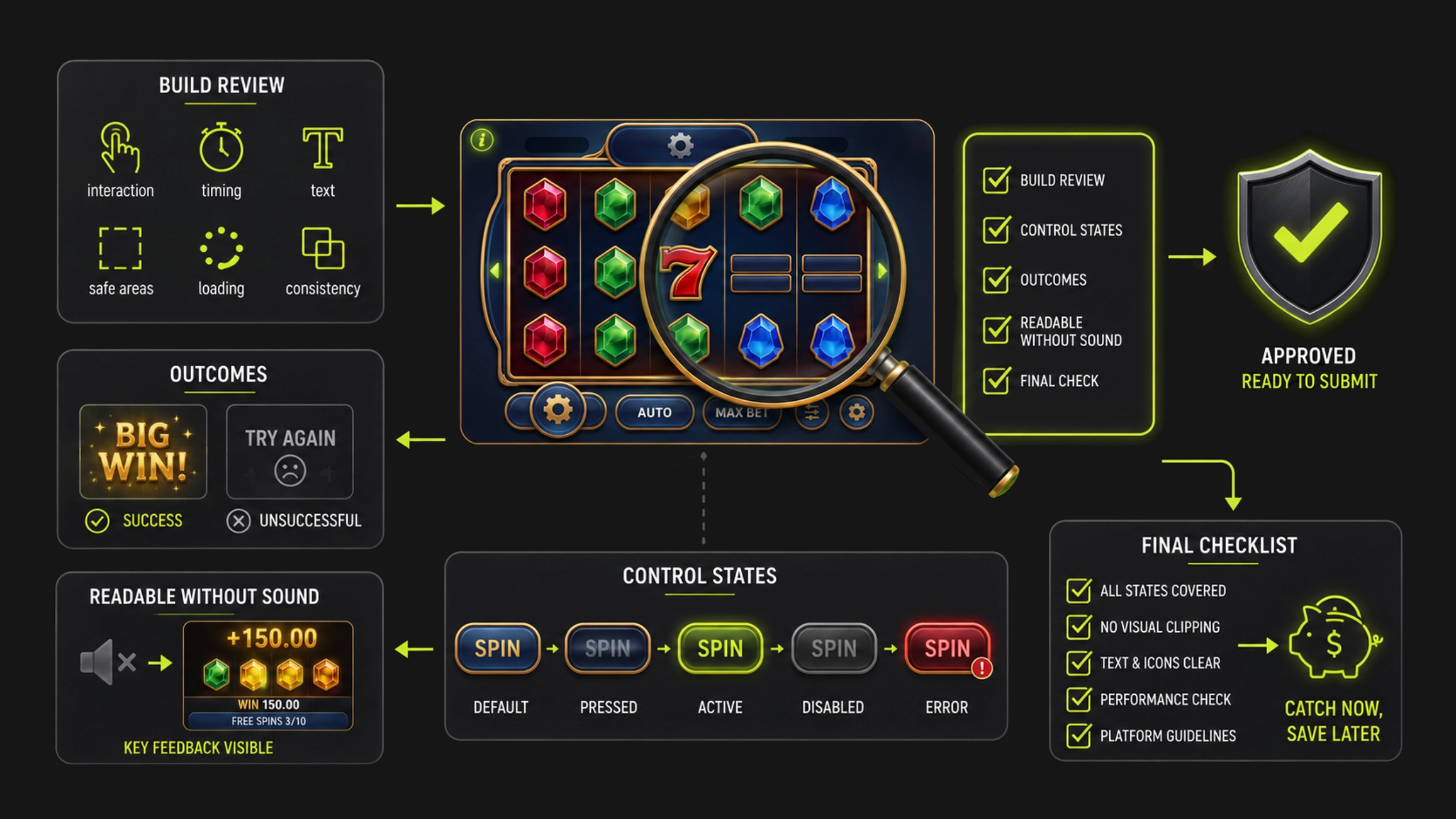
Review the build for interaction clarity, animation timing, text expansion, safe areas, loading behavior and visual consistency. Test both successful and unsuccessful outcomes, not only the ideal showcase round.
Check that every control has default, hover or pressed where relevant, active, disabled and error states. Confirm that outcome feedback is readable without sound and that important information remains visible during effects.
Finish with the Slot Game Art Checklist Before Launch. A controlled final pass is cheaper than discovering missing states after the game enters platform review.


.svg)


